


This concerns the latest Tunnelblick version 3.8.3beta01 – even with the latest stable (not beta) version the same error occurred.
After I gave my Macbook Air a larger SSD, I wanted to reload the previously exported configuration of Tunnelblick. However, the following error appeared during import:
(Screenshots are in German)
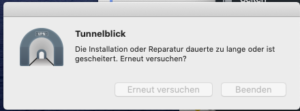
“The installation or repair took too long or failed.”
Via Google I had not found a solution, but by experimenting I got it working.
Cmd+click on the package, then “Show package contents”
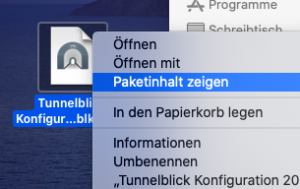
Here then in folder
Global > Users > Username
This directory contains *.tblk files
These extract the appropriate file from the archive and execute it – then the configuration file is imported.
Importing Tunnelblick configuration – repair took too long